

.jpg)
Imagine building a fully functional, SEO-optimized website - complete with branding, copy, and responsive design - in under 30 minutes. No coding. No templates. Just describe your business, click “generate,” and watch AI do the rest.
That’s the reality of AI website tools in 2025. Whether you’re a solopreneur launching your first portfolio or a marketing team managing dozens of landing pages, AI tools for websites are transforming how we design, write, and publish online. These aren’t just website builders - they’re intelligent assistants that understand user intent, craft content, and optimize performance automatically.
In this comprehensive guide, we’ll explore the best website tools and best AI tools website solutions dominating 2025. You’ll discover their unique features, best use cases, pricing, and expert insights to help you pick the right tool for your goals.
1. Introduction
1.1 Why Websites Still Matter in 2025
Even in a world ruled by social media, websites remain the digital home of every brand. They control your messaging, capture leads, and convert visitors into customers. The challenge, however, is that building and maintaining them requires time, creativity, and technical skills - until now.
1.2 What Are AI Website Tools?
AI website tools are platforms that use artificial intelligence to automate every stage of website creation - from layout generation to content writing and SEO optimization. They understand natural language prompts, design custom templates, and produce ready-to-publish websites.
1.3 How AI Has Changed Website Design
Traditional builders like WordPress or Squarespace relied heavily on manual editing. Now, AI website tools such as Durable, Hostinger AI, and Wix ADI allow users to build entire sites by typing a sentence like “Create a website for my photography business.” Within seconds, it generates text, visuals, and structure tailored to your niche.
Explorer: ai website for email writing
2. Why the Best Website Tools Matter More Than Ever

2.1 Speed and Efficiency
Time is the most valuable asset in digital marketing. AI website tools allow you to design, launch, and test new ideas in record time. What used to take a week of revisions can now happen in under an hour.
2.2 Accessibility for Non-Technical Users
No coding knowledge? No problem. These tools open web creation to anyone - entrepreneurs, marketers, freelancers, and small businesses alike.
2.3 SEO and Conversion Optimization
Most AI tools for website automatically apply SEO best practices. They generate metadata, compress images, and ensure your site is mobile-friendly. Advanced tools even use AI to analyze behavior and suggest conversion improvements.
2.4 Scalability and Automation
From A/B testing to multilingual support, AI website builders scale your growth effortlessly. Businesses can now launch microsites, campaigns, or landing pages instantly without adding developer costs.
3. Categories of AI Website Tools
3.1 AI Website Builders
Full-stack tools that generate sites from prompts - examples include Durable, Wix ADI, and Hostinger AI.
3.2 Design-First AI Tools
Platforms like Squarespace AI Builder or CodeDesign.ai prioritize aesthetics, offering AI-assisted layouts, font pairings, and design recommendations.
3.3 E-Commerce Website Tools
Tools such as Shopify Magic and 10Web AI Builder automate product descriptions, inventory visuals, and checkout flows.
3.4 AI Website Assistants for Optimization
These aren’t builders but helpers. Jasper, SurferSEO, or Framer AI Assistant enhance site content, improve readability, and optimize performance post-launch.
4. Top AI Website Tools & Best Website Tools of 2025
4.1 Durable – The Fastest AI Website Builder for Entrepreneurs
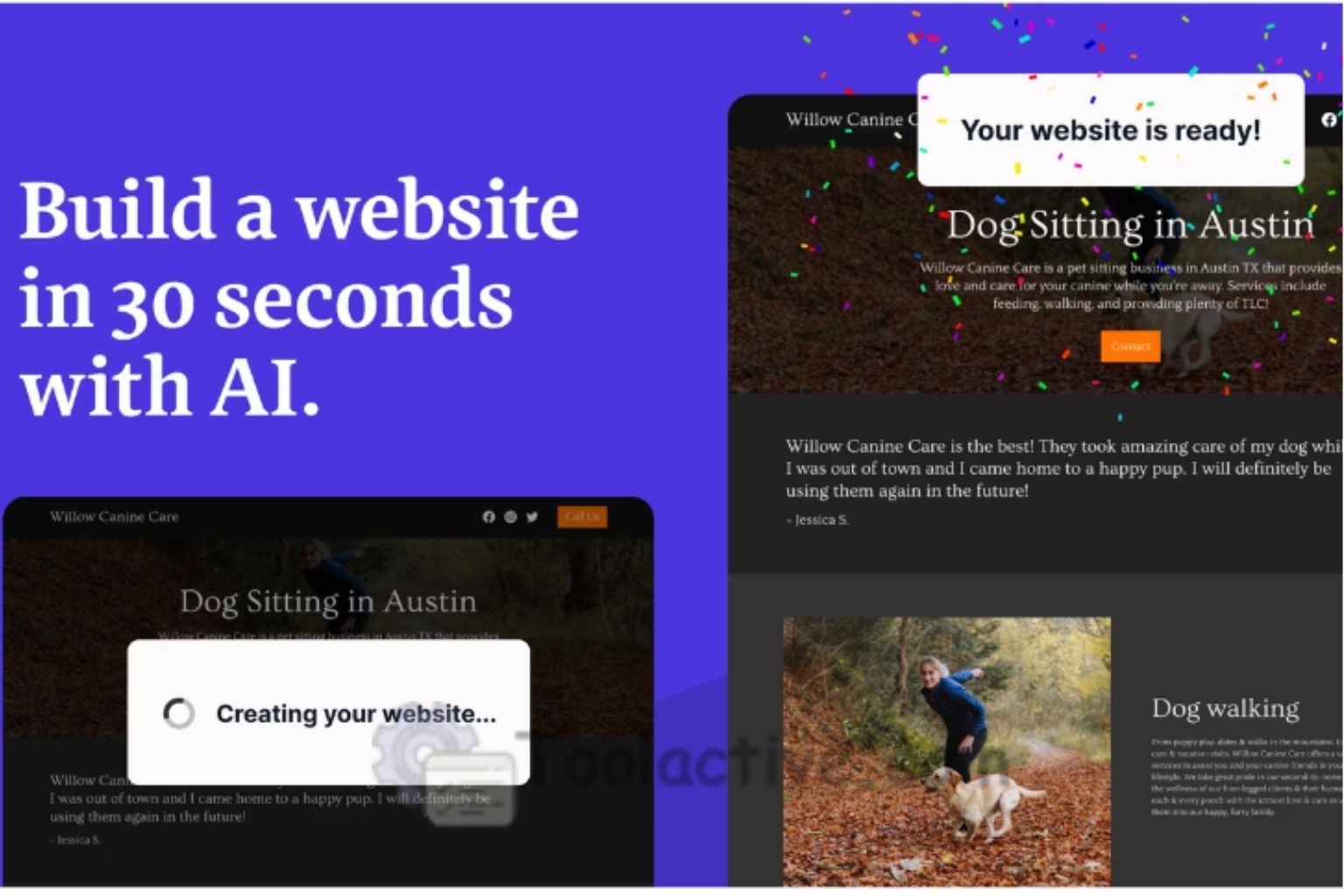
Durable is redefining how entrepreneurs and small business owners launch their online presence. Designed with speed and simplicity in mind, this AI-powered platform can create a fully functional, responsive, and SEO-optimized business website in under a minute. All you need to do is describe your business - Durable’s AI instantly generates a professional layout, compelling copy, and on-brand visuals, giving you a ready-to-launch site with minimal effort.
Beyond speed, Durable includes built-in AI text and image generation, helping users craft personalized pages, blog posts, and visuals without relying on third-party tools. Its one-click editing tools allow quick adjustments to color schemes, fonts, and sections, so you can fine-tune your site’s look without touching a line of code. Plus, first-time users get a free custom domain, making it an appealing choice for those launching their first digital brand.
What You’ll Like:
-
One-click website generation from simple prompts
-
Integrated AI text and image creation
-
Free custom domain for first-time users
What You May Not Like:
-
Limited flexibility for advanced customization or complex designs
Best For: Freelancers, solopreneurs, and small business owners who want a professional online presence in minutes without technical hassle.
4.2 Wix ADI (Artificial Design Intelligence) – The Best All-Rounder
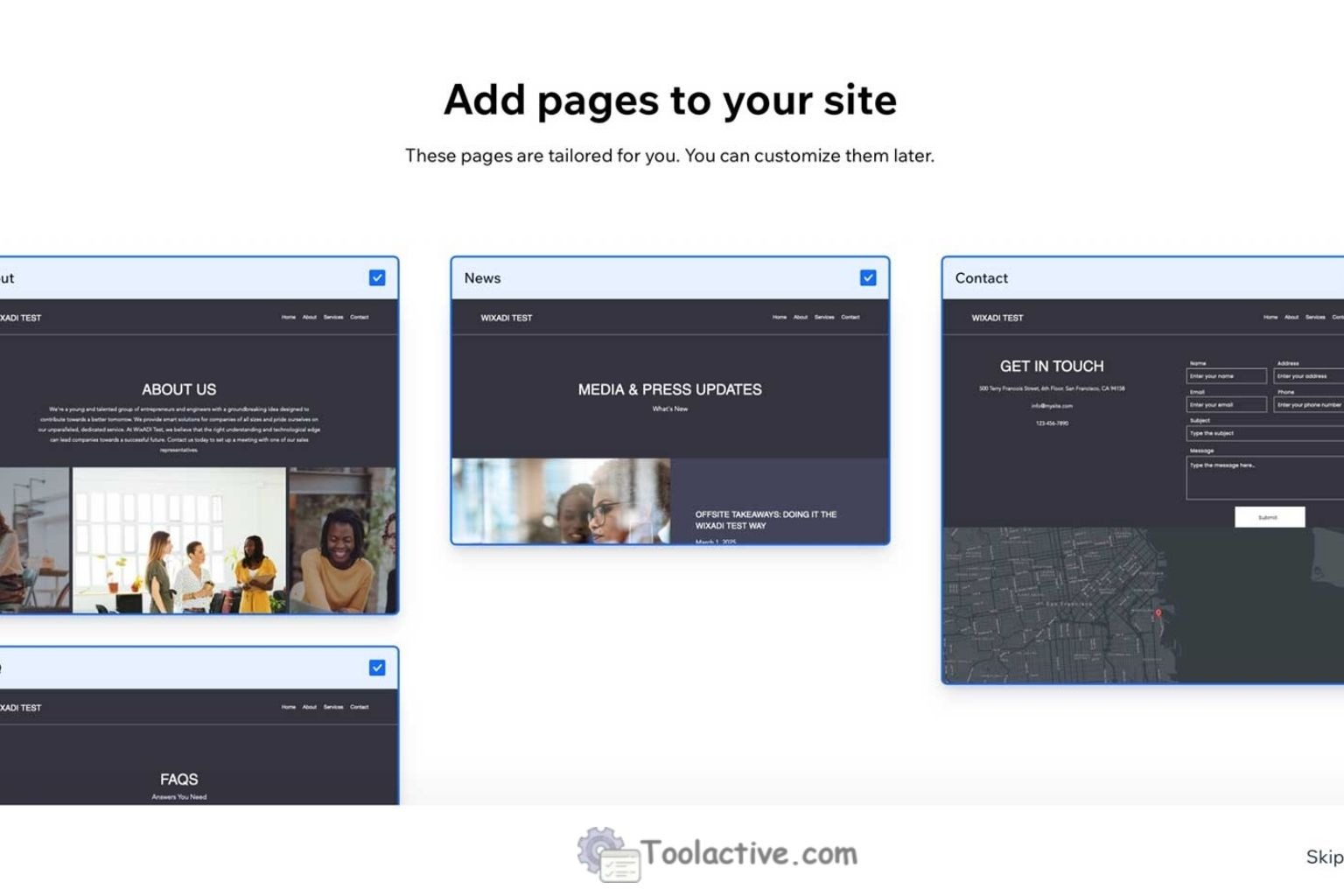
Wix ADI continues to lead the pack of AI website builders by combining intelligent design assistance with the flexibility of a drag-and-drop editor. Ideal for users who want a balance between automation and creative control, Wix ADI generates personalized layouts and designs based on your business type and industry. Its AI-driven recommendations ensure your website looks professional, is mobile-responsive, and is optimized for SEO right from the start.
Beyond automatic layout generation, Wix ADI offers a rich ecosystem of apps and integrations, including analytics tools, marketing widgets, and eCommerce options, allowing small businesses and creatives to scale their sites as needed. Users can tweak layouts, fonts, colors, and images while still benefiting from AI guidance, making it a versatile tool for a variety of projects.
Features:
-
AI layout suggestions tailored to industry type
-
Automatic SEO optimization and responsive design
-
Extensive app integrations and analytics tools
Pros:
-
User-friendly interface, great for beginners
-
Excellent choice for small businesses, creatives, and solopreneurs
Cons:
-
Limited flexibility for advanced developers seeking full custom coding
Best For: Users who want a mix of AI assistance and creative freedom, balancing automation with manual customization.
4.3 Hostinger Website Builder (AI Edition) – Best Budget AI Website Tool
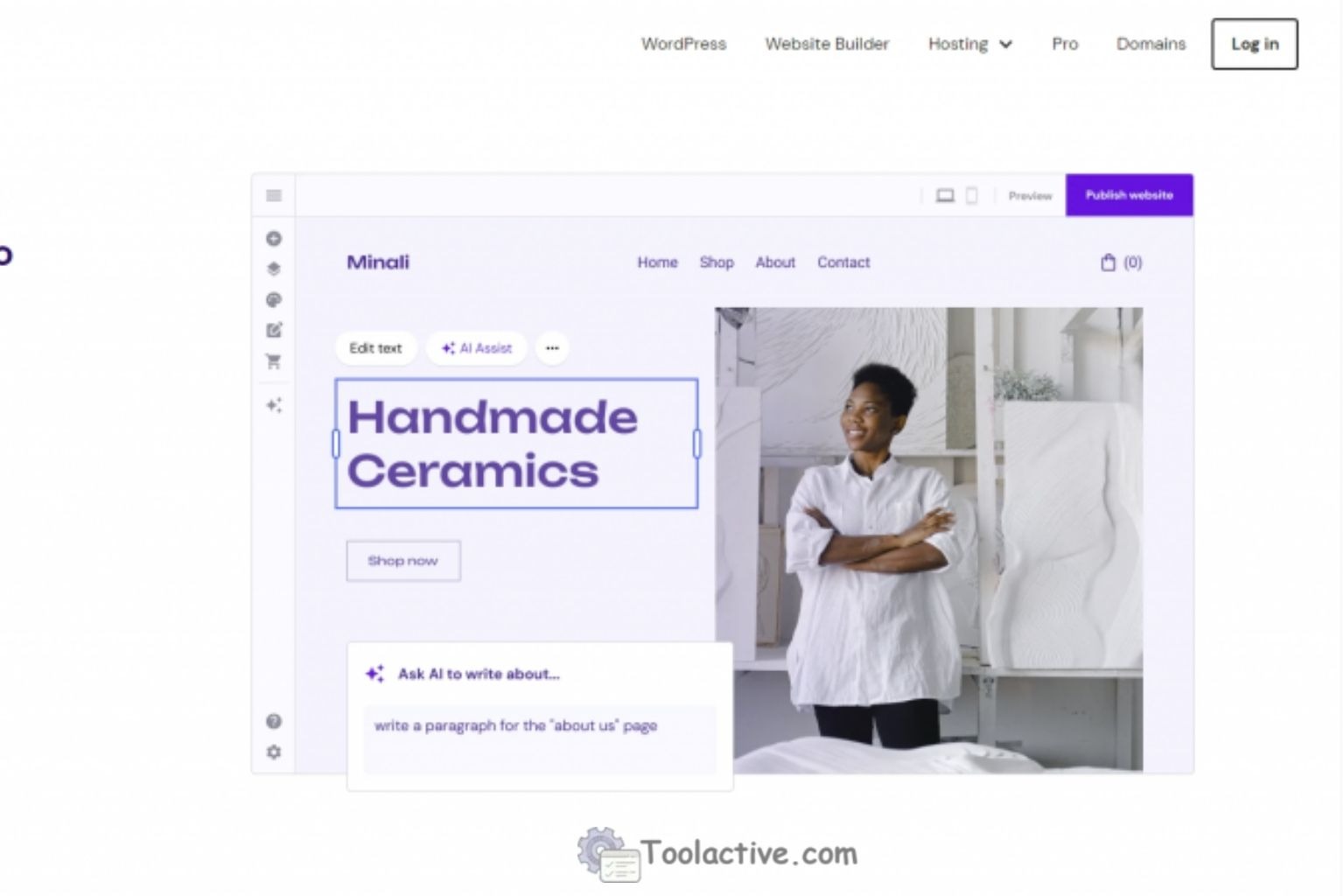
Hostinger’s AI Website Builder makes creating websites, blogs, and online stores simple and cost-effective. Designed with affordability and ease of use in mind, it allows startups, freelancers, and budget-conscious entrepreneurs to launch professional websites without technical expertise. The platform’s built-in AI assistant automatically generates website copy, visuals, and SEO tags, helping users create optimized sites in a fraction of the time traditional methods require.
The builder features a drag-and-drop interface, so you can easily customize layouts, adjust design elements, and preview changes in real time. Hosting is included in the pricing plan, which further simplifies setup and reduces overall costs. Whether you’re launching a personal blog, small business site, or an online store, Hostinger AI Builder offers a complete, beginner-friendly solution without breaking the bank.
Features:
-
Drag-and-drop design interface for easy customization
-
AI-generated content, images, and SEO tags
-
Affordable plans with hosting included
Pros:
-
Extremely budget-friendly for startups and solo creators
-
Fast website setup with AI-assisted automation
-
All-in-one hosting and builder solution
Cons:
-
Fewer advanced design customization options
-
Limited third-party integrations compared to larger platforms
Best For: Startups, freelancers, and individuals who want a cost-effective, AI-powered website solution without the hassle of separate hosting or coding.
4.4 10Web AI Builder – The WordPress Powerhouse
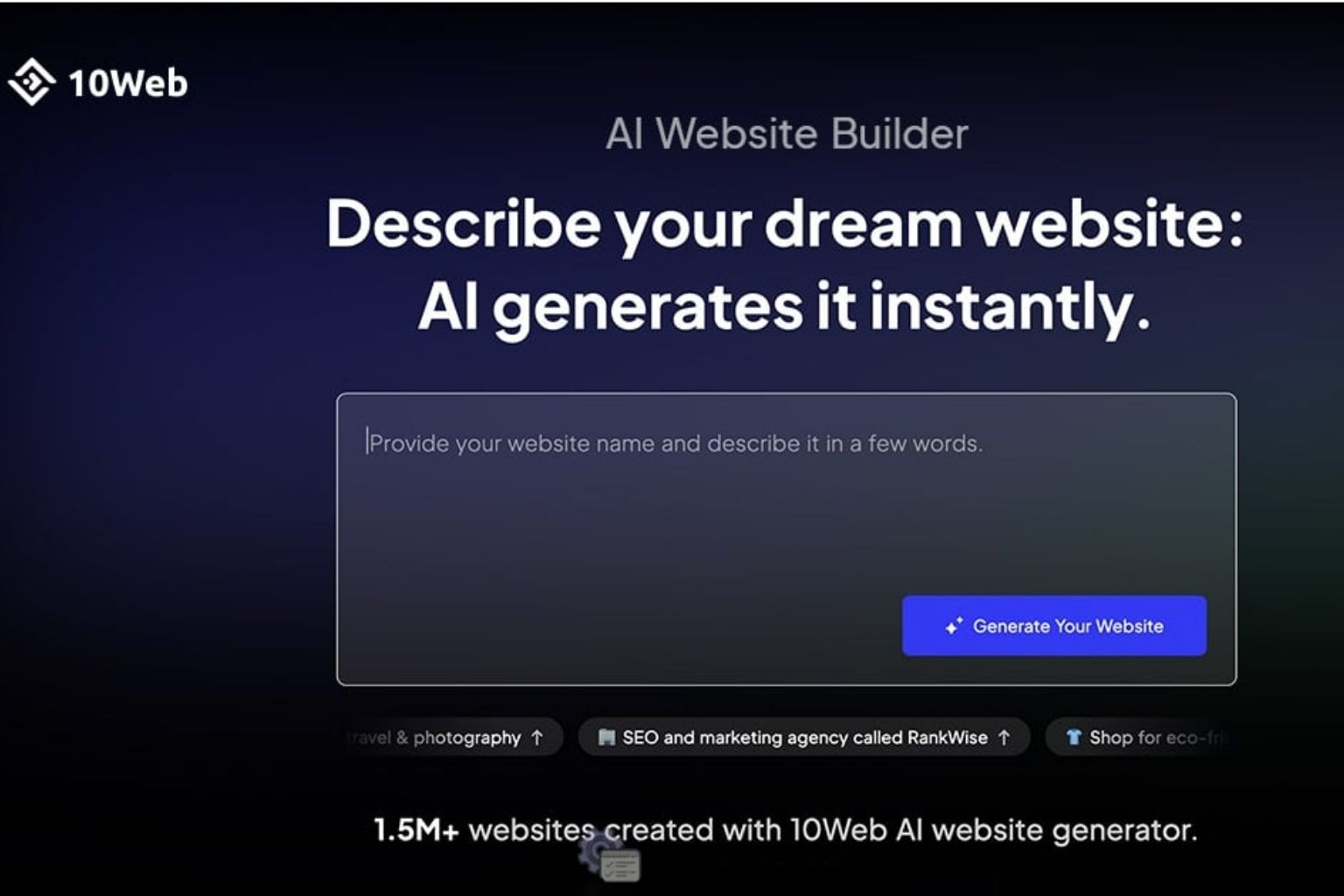
10Web AI Builder brings the speed and intelligence of AI directly into the WordPress ecosystem, making it easier than ever for agencies, freelancers, and business owners to create and optimize websites. Whether you want to clone an existing site or generate a completely new one, 10Web’s AI assistant provides layout suggestions, performance enhancements, and SEO-friendly improvements, streamlining the development process without sacrificing quality.
Built on Google Cloud hosting, 10Web ensures fast load times and reliable performance, while its AI-powered page builder allows WordPress users to design pages efficiently, even with minimal coding experience. The platform is especially attractive to agencies and freelancers who manage multiple client websites, as it reduces setup time and simplifies ongoing maintenance.
Pros:
-
Google Cloud hosting with automatic speed optimization
-
AI-assisted page building within WordPress
-
Ideal for agencies, freelancers, and multi-site management
Cons:
-
Requires basic understanding of WordPress to fully leverage features
-
Limited flexibility for users outside the WordPress ecosystem
Best For: WordPress users and agencies who want to modernize their workflow with AI-driven site creation and optimization.
4.5 Squarespace AI Builder – Best for Design & Branding
Squarespace AI Builder is tailored for users who prioritize visual appeal and brand identity. Renowned for its sleek templates and aesthetic quality, Squarespace now integrates AI tools that assist with design refinement, color palette suggestions, and copywriting, allowing creative entrepreneurs to build a cohesive and professional online presence quickly. Whether launching a portfolio, e-commerce store, or personal brand site, the AI assistant guides users through every step while maintaining stylistic consistency.
The platform also offers advanced template customization, letting designers tweak layouts, fonts, and imagery to perfectly align with their vision. Built-in e-commerce features make it easy to sell products, manage inventory, and process payments without relying on third-party plugins. This combination of AI support, design flexibility, and commerce readiness makes Squarespace an excellent choice for creatives seeking both functionality and visual excellence.
Highlights:
-
AI-powered design and copywriting assistance
-
Advanced template customization and style control
-
Built-in e-commerce capabilities
Best For: Designers, photographers, and creative entrepreneurs who want a visually stunning website enhanced by AI.
Pros:
-
Exceptional design quality and aesthetics
-
Integrated e-commerce and marketing features
-
AI guidance simplifies content creation
Cons:
-
Limited flexibility for highly complex or unconventional site structures
-
Monthly subscription pricing can be higher than budget builders
4.6 CodeDesign.ai – The SEO-Driven AI Website Tool
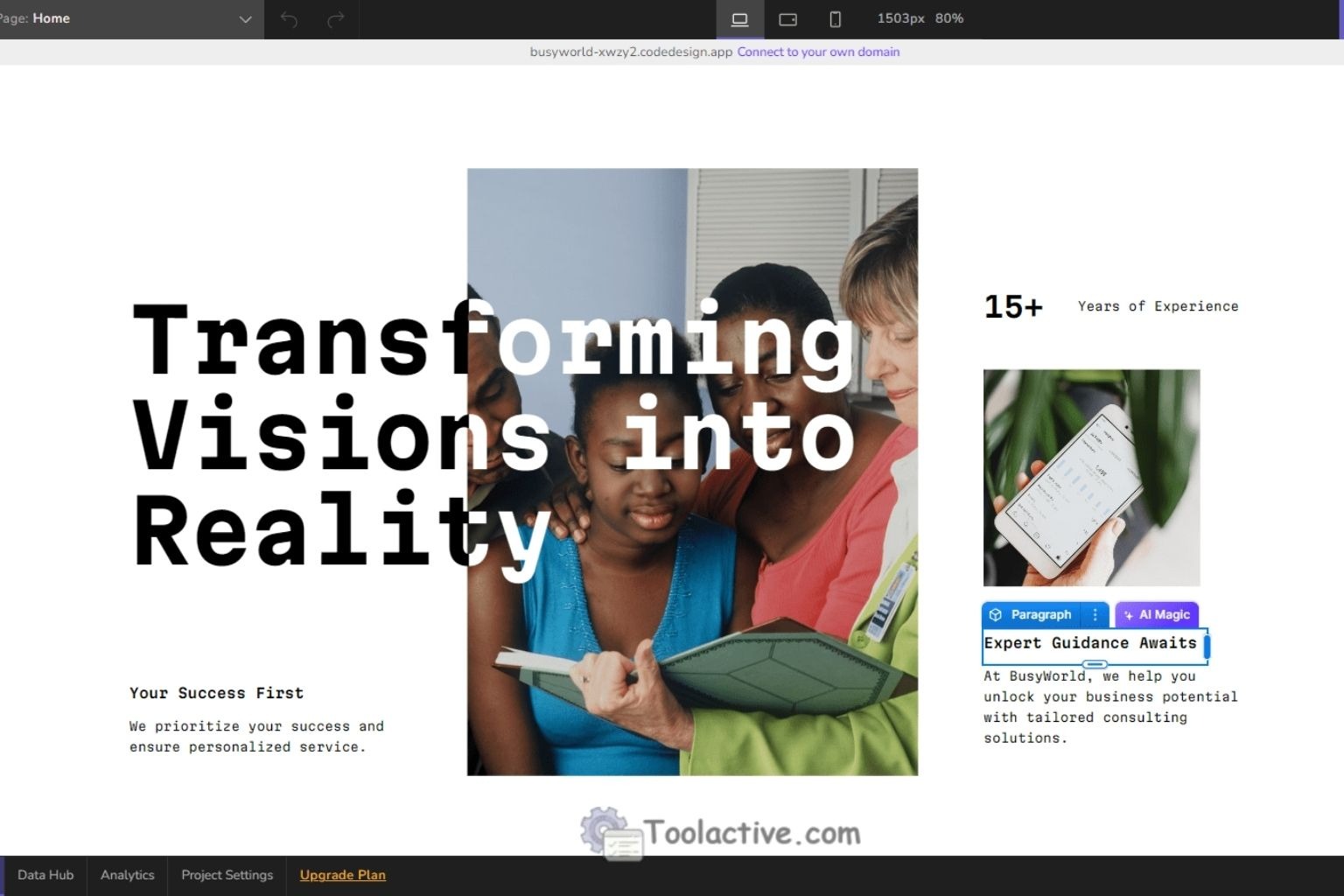
CodeDesign.ai is a newer AI website builder that emphasizes SEO and performance alongside intelligent design. Unlike many builders that focus primarily on aesthetics, CodeDesign.ai ensures that every website is optimized for search engines from the ground up. Its AI automatically generates schema markup, keyword-optimized content, and clean, efficient code, giving digital marketers and agencies a head start in achieving organic visibility.
The platform also allows users to customize layouts, adjust design elements, and maintain branding consistency, all while keeping SEO best practices in mind. This makes it particularly appealing for agencies, digital marketers, and small businesses who want a high-performing website that attracts traffic without requiring manual optimization efforts.
Best For: Agencies, digital marketers, and businesses prioritizing organic traffic and search engine performance.
Pros:
-
AI-generated SEO content and schema markup
-
Clean, optimized code for faster website performance
-
Ideal for agencies managing multiple client sites
Cons:
-
Less focused on creative design flexibility compared to Squarespace or Wix
-
Relatively new, so smaller user community and fewer tutorials
4.7 Framer AI Builder – For Advanced Users Who Want Full Control

Framer AI Builder caters to designers and developers who want both precision and flexibility. Combining AI automation with Figma-like design control, Framer allows users to generate fully interactive prototypes and live websites complete with smooth animations and responsive layouts. Its AI assists in streamlining repetitive design tasks, suggesting improvements, and accelerating the development of high-fidelity websites without sacrificing creative control.
This platform is particularly suited for startups and design-savvy teams that require custom branding, advanced interactions, and a polished user experience. Framer’s integration of real-time collaboration and code export also makes it ideal for teams that want to bridge design and development seamlessly. While it offers more control than typical beginner-friendly AI builders, it does require a higher level of familiarity with design principles to fully leverage its capabilities.
Best For: Designers, developers, and startups seeking highly customized, interactive websites with advanced design control.
Pros:
-
Figma-like precision with AI-assisted automation
-
Generates interactive prototypes and live sites with animations
-
Strong collaboration and design-to-development workflow
Cons:
-
Steeper learning curve than beginner-friendly builder
-
Less intuitive for users without prior design experience
4.8 Dorik & Mixo – Lightweight, Fast, and Affordable Builders
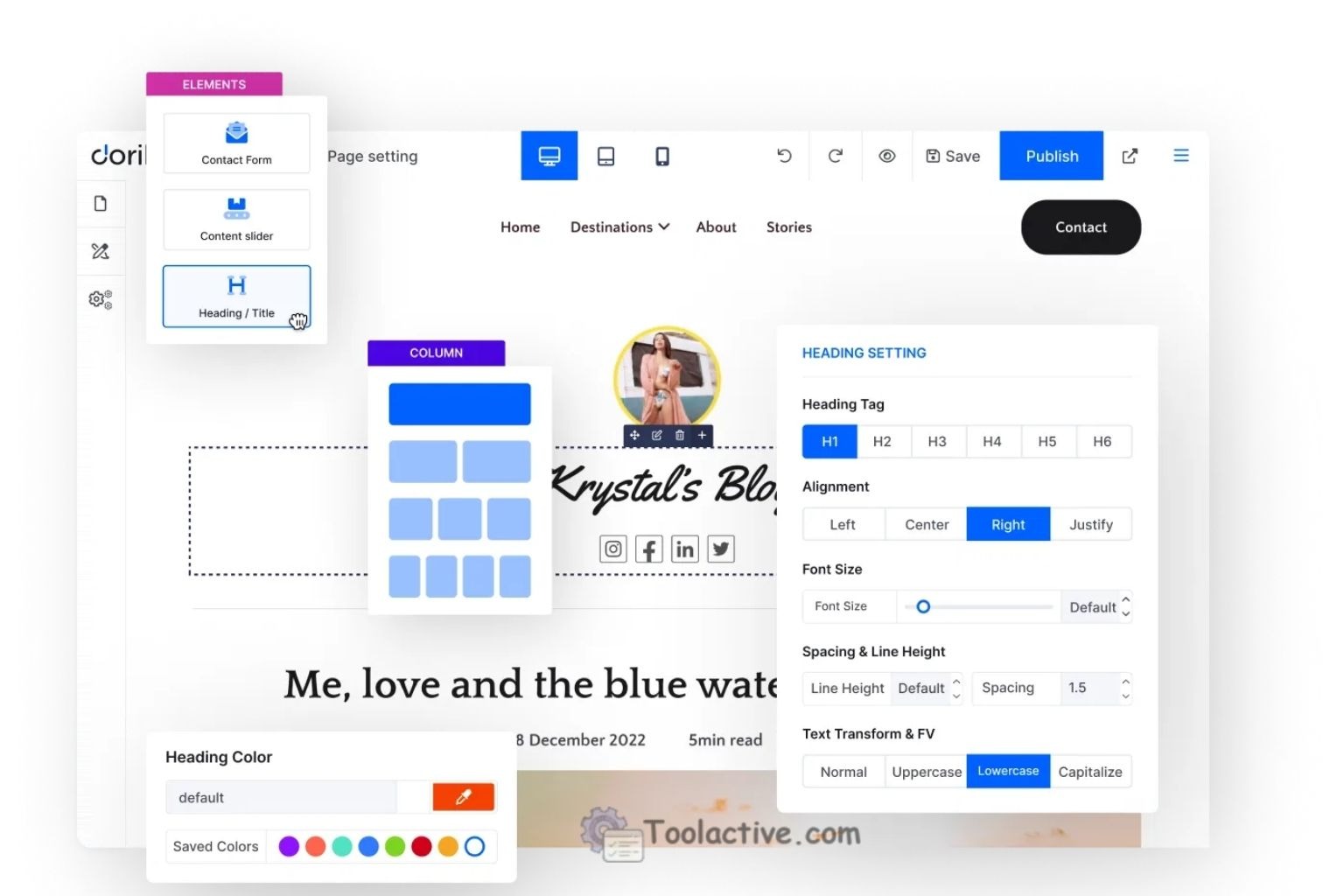
Dorik and Mixo are ideal for startups and small teams seeking simple, fast, and budget-friendly AI website solutions. Both platforms focus on delivering template-driven websites with essential AI capabilities, including automated text generation and basic design suggestions, enabling non-technical founders and marketing teams to launch MVP (minimum viable product) sites quickly.
These builders prioritize speed and simplicity over complex features, making them perfect for entrepreneurs who need a functional online presence without the overhead of managing hosting, plugins, or advanced design workflows. Integrated analytics tools allow users to track engagement and performance from day one, providing actionable insights without requiring additional software.
Best For: Non-technical founders, startups, and marketing teams looking to quickly launch lightweight, functional websites.
Pros:
-
Fast setup with AI-assisted content and design
-
Affordable pricing suitable for small businesses
-
Integrated analytics for performance tracking
Cons:
-
Limited advanced customization options
-
Not ideal for large-scale or highly interactive websites
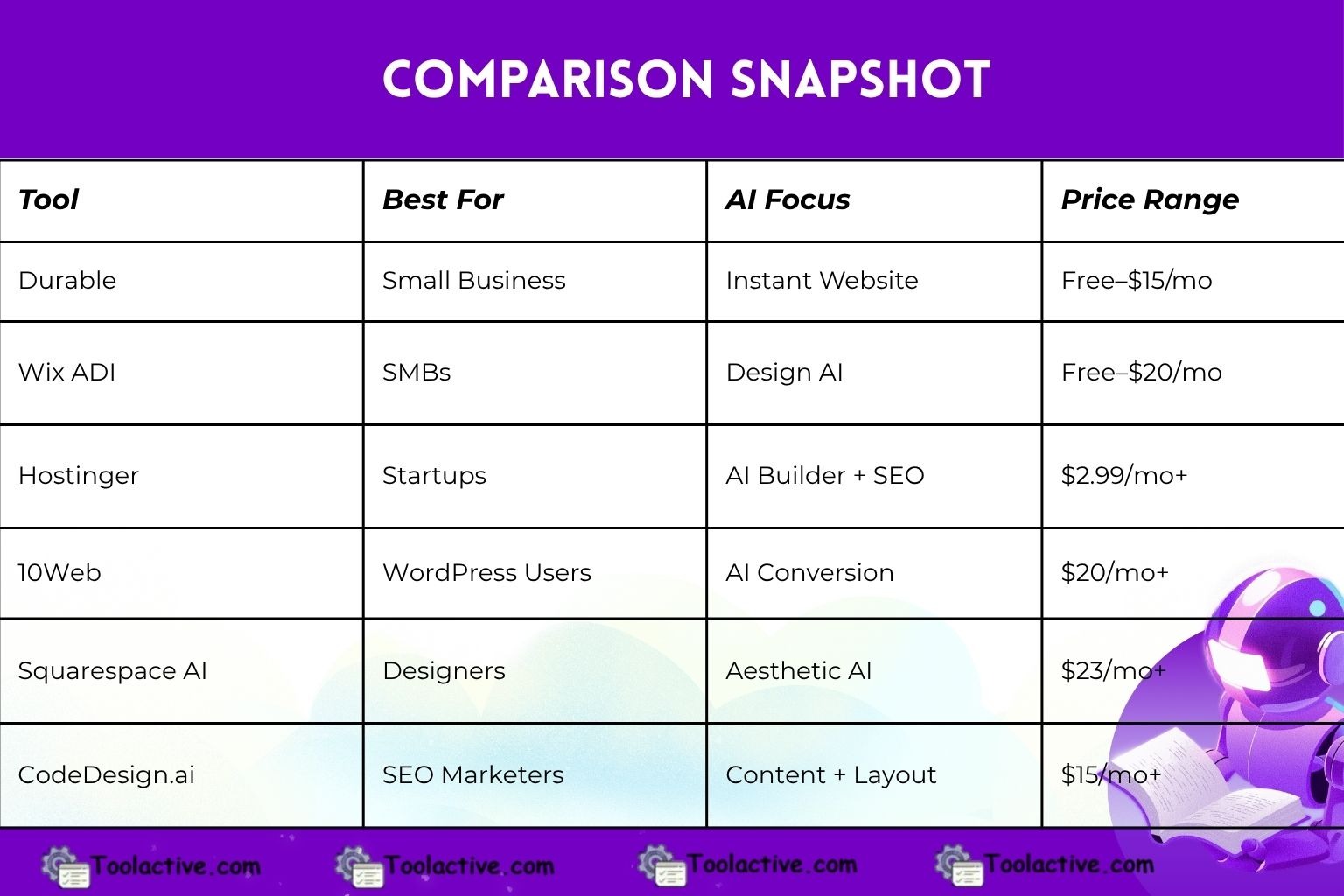
4.9 Comparison Snapshot
5. How to Use AI Tools for Website Creation Effectively
-
Define Your Purpose – Portfolio? Blog? Store? Each tool caters differently.
-
Start with a Prompt – Be specific. “AI website for a digital marketing agency in New York” will yield better results than “marketing website.”
-
Customize the Result – Adjust branding, copy, and visuals.
-
Add Integrations – Email, CRM, analytics, and automation tools.
-
Test & Iterate – Use analytics to optimize user flow and conversion.
If you want to explore more support automation tools, you can check out our list of ai website assistant.
6. User Persona & Use Cases
6.1 Solo Entrepreneurs
Need instant, low-cost websites that look professional. AI tools simplify launch and branding.
6.2 Marketing Teams
Create campaign-specific landing pages in hours instead of weeks.
6.3 Agencies
Deliver faster results to clients using AI-driven prototyping.
6.4 E-commerce Businesses
Automate product listings and copywriting with AI content generation.
7. How to Choose the Best AI Website Tools
-
Match the tool’s capabilities with your goal (design, e-commerce, blog).
-
Look for mobile responsiveness and SEO optimization.
-
Evaluate pricing scalability.
-
Test free versions first.
-
Prioritize AI tools that integrate analytics and marketing automation.
8. Future Trends in AI Website Tools (2025 & Beyond)
-
Full-prompt site creation: Text → layout → content → publish.
-
Conversational builders: Chatbots that co-design sites in real time.
-
AI maintenance: Sites that auto-update based on analytics.
-
Integrated marketing ecosystems: Websites that sync directly with CRMs and ad tools.
9. Expert Insight - Jason Miller
“After five years of helping marketers choose the right tools, I can confidently say AI website builders are the most transformative category since WordPress. They’ve made web creation accessible to everyone - not just designers or coders. But success still depends on customization. Don’t let AI replace your creativity; use it to amplify it.”
10. Free & Freemium AI Website Tools to Try
-
Wix Free Plan – Great for beginners.
-
Dorik Free Tier – Launch instantly.
-
Hostinger AI Free Demo – Explore features before upgrading.
11. Common Pitfalls to Avoid
-
Overreliance on templates → generic designs
-
Ignoring manual SEO tweaks
-
Using too much AI copy → lack of originality
-
Forgetting mobile optimization
Check our Traveling Mailbox collection
12. FAQs -AI website tools
1. What are AI website tools?
AI website tools use artificial intelligence to help build, edit, and optimize websites automatically.
2. How do AI tools improve website creation?
They generate layouts, write content, optimize SEO, and automate design choices based on user needs.
3. Are AI website builders good for beginners?
Yes. Most require no coding skills and offer simple, guided setup processes.
4. Can AI tools improve website performance?
AI can optimize speed, images, SEO, and user experience based on real-time data.
5. Do these tools support e-commerce?
Many AI website builders include product management, payment systems, and automated marketing features.
6. Are AI website tools expensive?
Prices vary, from free plans with limits to advanced paid tiers for businesses.
7. Do AI tools integrate with other platforms?
Most support integrations like CRM systems, analytics tools, email marketing, and automation apps.
8. Are AI website tools safe to use?
Reputable platforms offer encryption, backups, and strong security standards.
13. Conclusion
The future of web creation is fast, intelligent, and automated. With cutting-edge AI website tools like Durable, Hostinger, and Wix ADI leading the charge, anyone - from solo founders to global enterprises - can now build stunning, high-performing websites in minutes.
Don’t wait for tomorrow’s innovation. Start exploring ToolActive.com today to discover the best website tools and unlock the full power of automation, creativity, and efficiency.




.jpg)