

.jpg)
1. Introduction
In 2025, organizations rely heavily on modern directory software to manage memberships, searchable listings, digital resources, community data, and internal knowledge systems. As AI becomes standard across digital platforms, teams are also looking for smarter directory tools that automate classification, enrich listings, and provide more accurate search capabilities. Whether you’re searching for the best directory software, an AI tools directory, or a reliable platform for organizing large databases, this tested review helps you compare options with confidence.
At Toolactive, we continually test and evaluate the best software and AI tools so businesses and creators can make confident decisions backed by verified insights. This guide was personally reviewed by Jason Miller, who brings over 12 years of experience in marketing tech and hands-on testing of directory tools across associations, SaaS databases, and digital communities.
This article includes full reviews of each tool, pricing notes, AI capabilities, and use-case recommendations so you can choose the right solution for your directory or data hub.
Before going deeper into the next section, you can refer to directory listing tool to support your work.
2. What Is Directory Software?
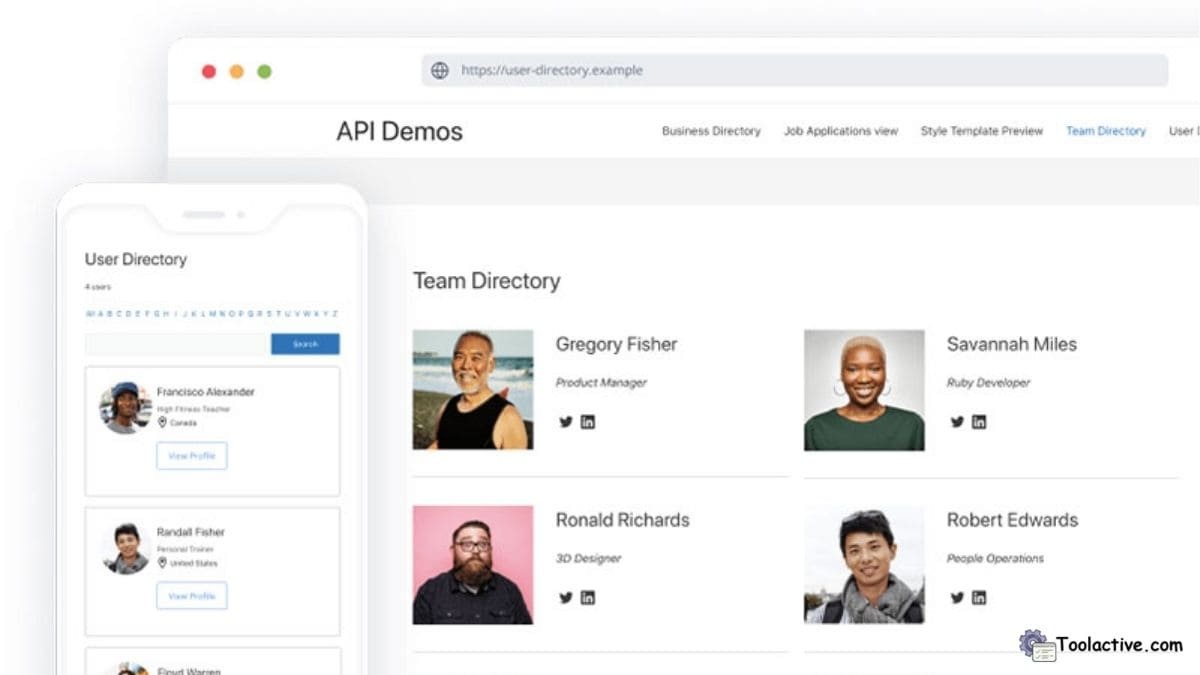
Directory software is a platform designed to organize, categorize, and manage collections of listings—such as people, products, companies, digital assets, tools, or community members. It allows organizations to structure databases using custom fields, searchable indexes, filters, categories, and workflows to keep large directories accessible and well maintained.
AI is now reshaping directory management by introducing features like automated classification, semantic search, duplicate detection, and smart enrichment that improves listing quality. These innovations make directory tools far more flexible and powerful, especially for large associations, online marketplaces, SaaS directories, or internal resource hubs.
Today, common use cases include member directories, SaaS tool databases, partner ecosystems, community hubs, content libraries, vendor lists, and directories of AI tools used across technology teams.

3. How We Tested These 10 Directory Tools
To identify the top 10 best directory software platforms for 2025, the Toolactive team and Jason Miller evaluated each product across multiple testing environments, including community hubs, SaaS listing databases, membership platforms, internal knowledge directories, and public-facing web directories.
We scored each tool across several criteria: search accuracy, directory structure flexibility, custom field design, AI capabilities, user management controls, integrations, pricing fairness, and the ability to scale with growing datasets. We also tested actual workflows such as importing large databases, enriching listings via AI, designing category structures, and building public listing pages.
4. Comparison Table — Top 10 Best Directory Software (2025)
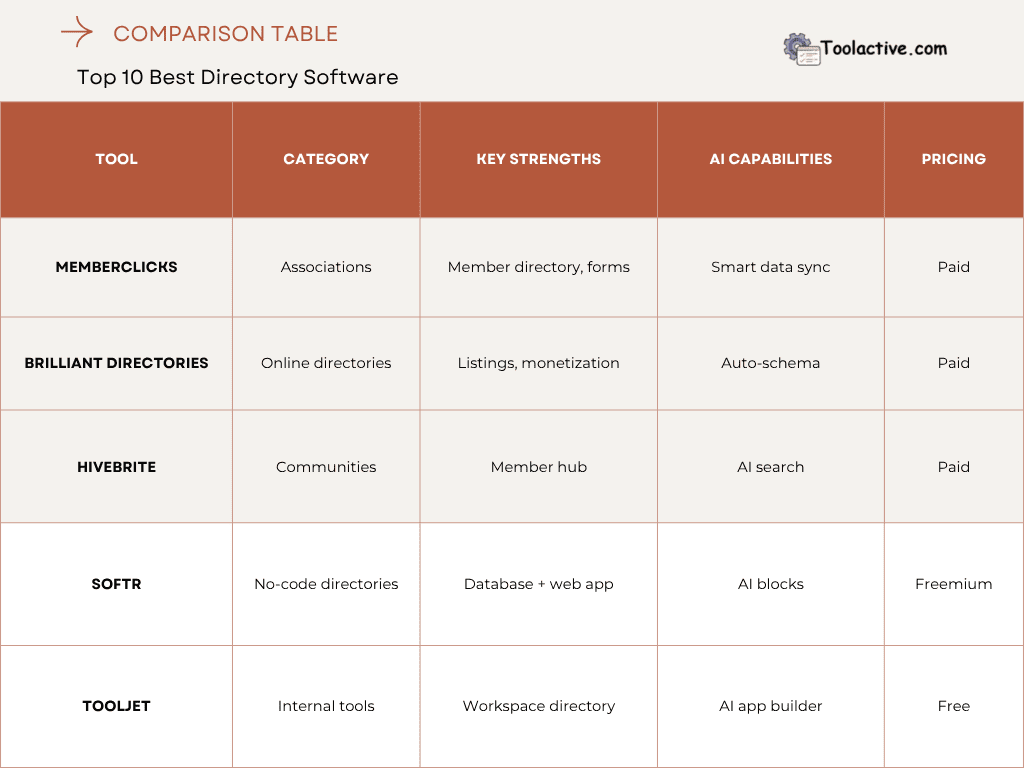
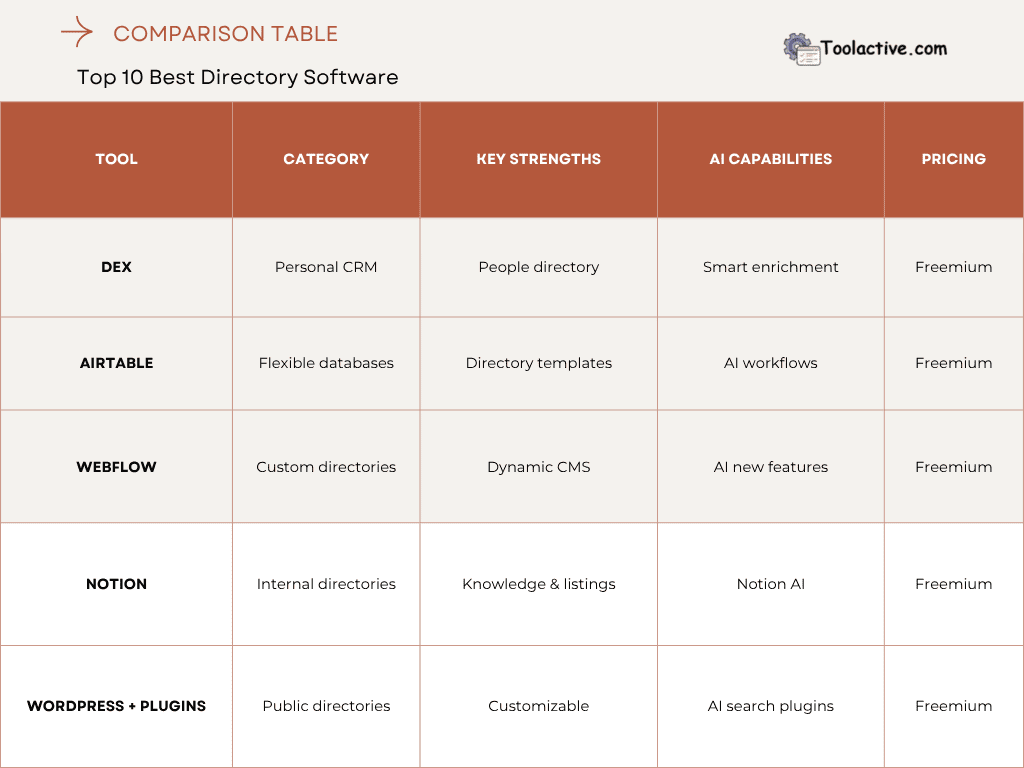
5. The 10 Best Directory Software & AI Directory Tools (Tested Review)
Below are the full evaluations of each tool, including pros, cons, AI features, best-for recommendations, how to use, and ratings.
5.1 MemberClicks — Best for Associations
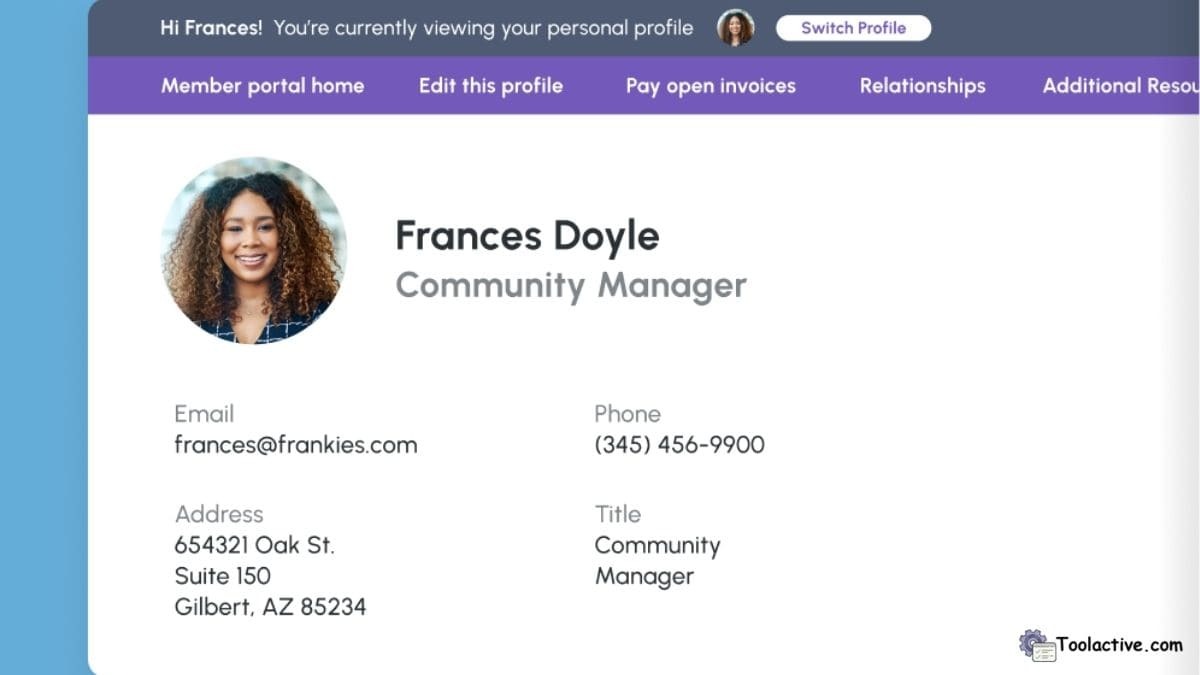
MemberClicks is a powerful directory software solution built for associations and membership-based organizations. It offers structured member databases, form management, and customizable profiles.
AI Features: Smart data sync and automated profile updating help reduce manual data entry.
Pros: Excellent for associations, dependable support, strong member management.
Cons: Limited design customization, no-code editing is basic compared to modern builders.
Best For: Associations and nonprofits managing large member databases.
How to Use: Set up member profiles, configure search fields, automate onboarding workflows.
Rating: 4.4/5.
5.2 Brilliant Directories — Best for Professional Online Directories
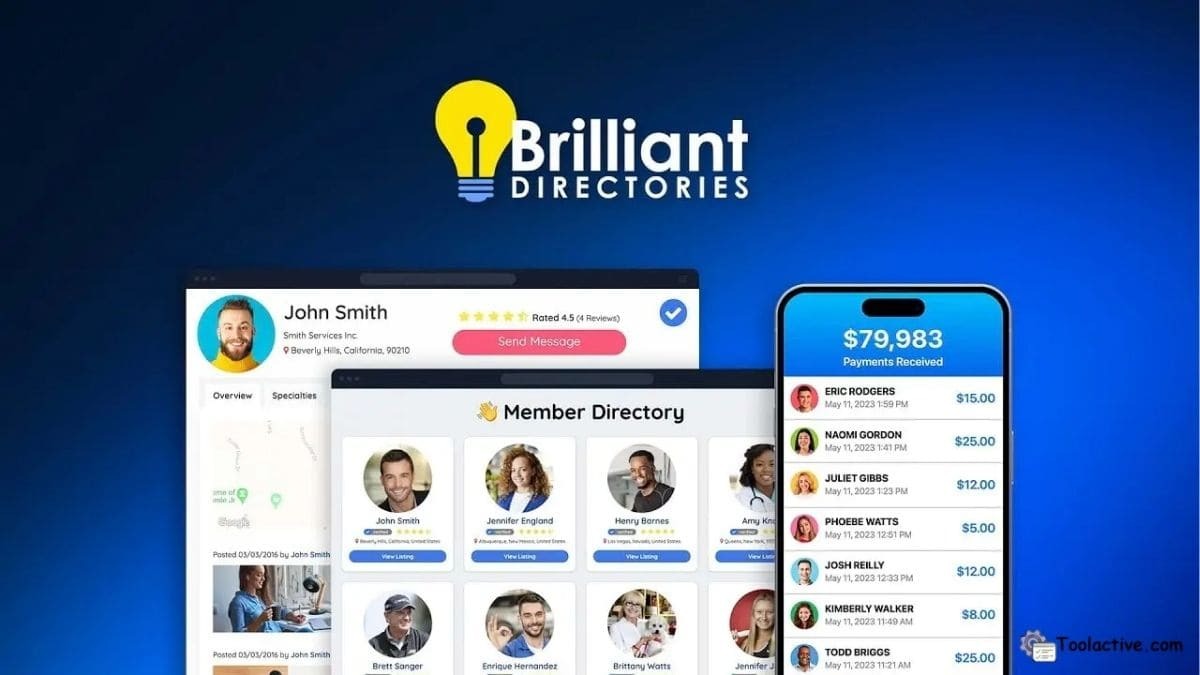
Brilliant Directories specializes in running online directories and listing websites. It includes monetization tools, email automation, and SEO-friendly templates.
AI Features: Auto-schema generation improves SEO visibility across listing pages.
Pros: Designed specifically for public directories, strong monetization tools.
Cons: Templates can feel outdated, add-ons increase costs.
Best For: Business directories, local listings, niche marketplaces.
How to Use: Choose a directory theme, add categories, import listings, and configure payments.
Rating: 4.3/5.
5.3 Hivebrite — Best for Community-Driven Directories
Hivebrite is a premium community platform with an advanced member directory, event tools, and discussion spaces.
AI Features: AI-powered semantic search enhances member discovery and networking.
Pros: Extremely flexible, ideal for large communities and alumni networks.
Cons: Higher pricing, best suited for enterprise-level organizations.
Best For: Communities, alumni networks, professional associations.
How to Use: Configure member attributes, set visibility rules, create groups, and customize profiles.
Rating: 4.6/5.

5.4 Softr — Best No-Code Directory Builder
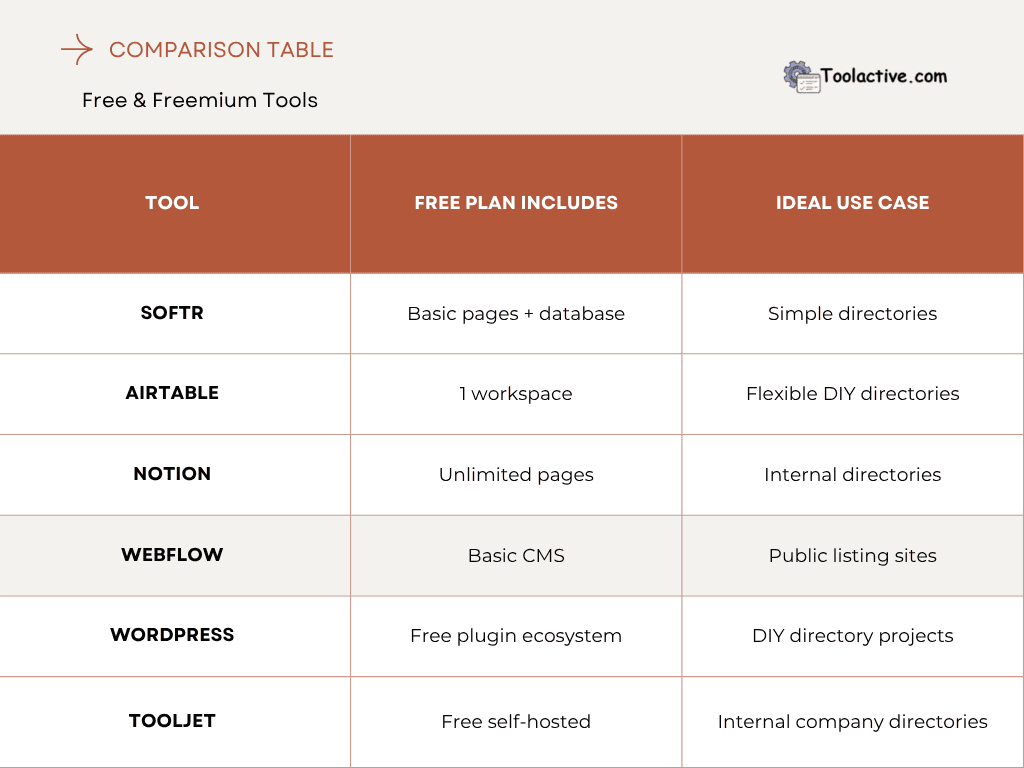
Softr allows anyone to build directories using Airtable or Google Sheets as a backend. It offers modern visual blocks and templates.
AI Features: AI Blocks automate content generation and help structure directory pages.
Pros: Easy to build, modern designs, perfect for no-code users.
Cons: Dependent on external databases, scaling requires paid plans.
Best For: No-code builders and small teams creating simple directories.
How to Use: Connect Airtable, choose a template, add filters, and publish.
Rating: 4.5/5.

5.5 ToolJet — Best for Internal Team Directories
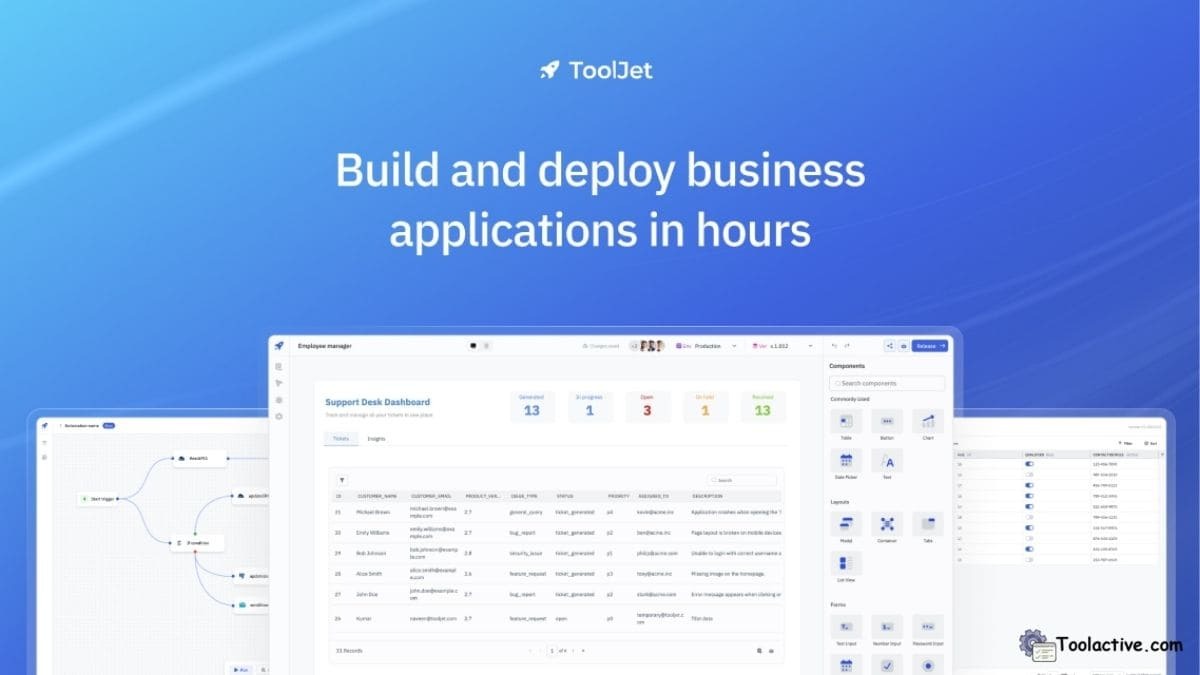
ToolJet is an open-source internal tool builder that supports directory-style apps for teams, resources, and employees.
AI Features: AI app builder accelerates internal app creation.
Pros: Free self-hosted option, strong internal workflows, very flexible.
Cons: Not ideal for public-facing sites, requires some technical setup.Best For: Internal directories within teams or companies.
How to Use: Build a directory UI, map datasets, add search filters, deploy internally.
Rating: 4.2/5.
5.6 Dex — Best Personal Relationship Directory Tool
Dex is a personal CRM that works as a lightweight directory for people and relationships.
AI Features: Smart enrichment automatically pulls public data into contacts.
Pros: Beautiful interface, easy reminders, simple organization.
Cons: Limited team features, mainly personal use.
Best For: Individuals tracking personal and professional relationships.
How to Use: Import contacts, categorize tags, and enable reminders.
Rating: 4.4/5.

5.7 Airtable — Best for Flexible Directory Structures
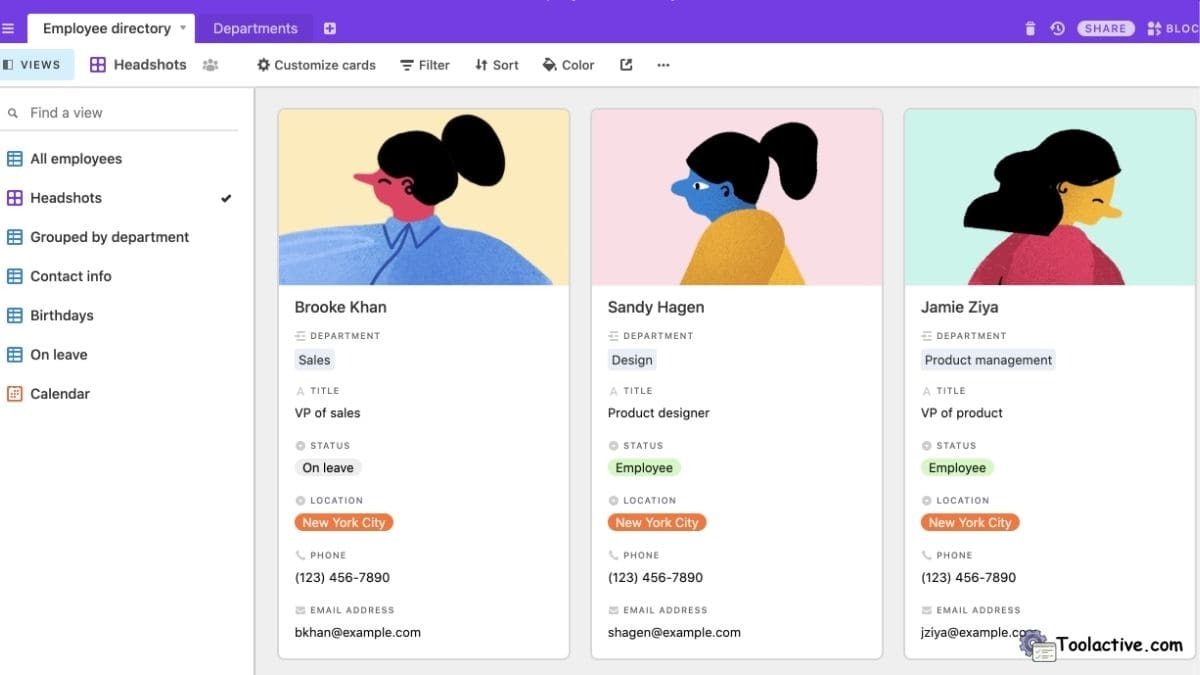
Airtable acts as a flexible database for building custom directory structures with fields, relations, and automations.
AI Features: AI workflows allow automated enrichment, suggested fields, and categorization.
Pros: Extremely customizable, strong automation, scalable for complex directories.
Cons: Requires design effort to build a fully usable directory.
Best For: Teams needing advanced directory customization.
How to Use: Create a base, add fields, design views, and connect automations.
Rating: 4.7/5.
5.8 Webflow — Best for Custom Public Directory Websites
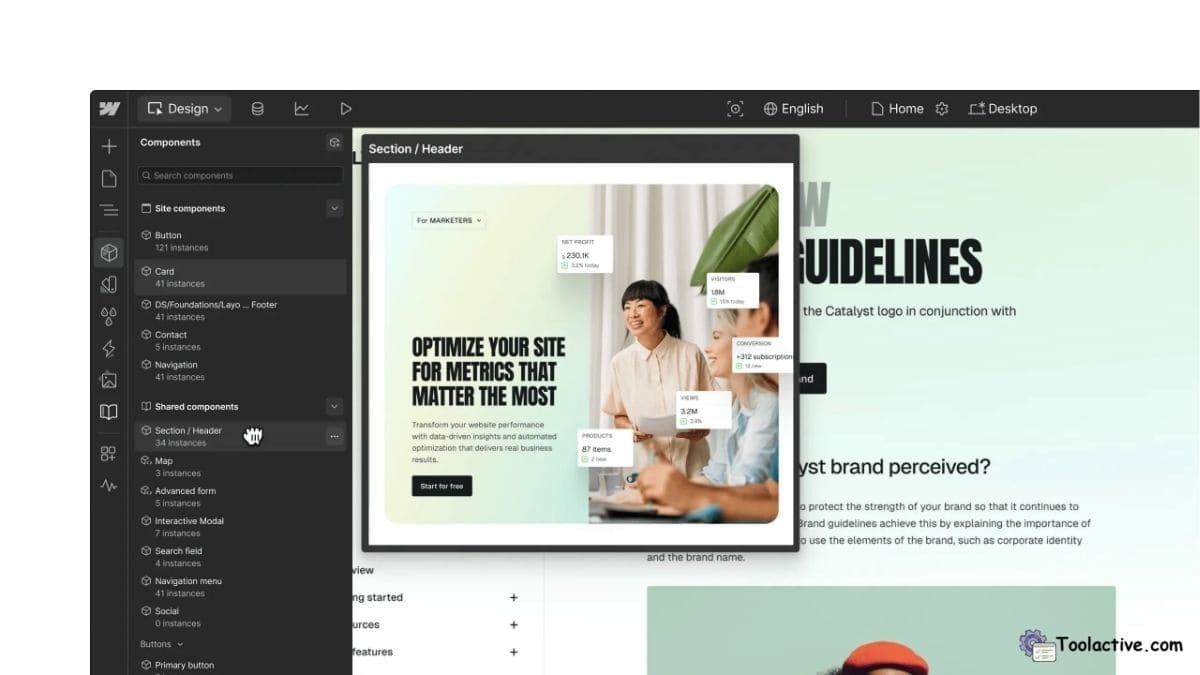
Webflow makes it easy to publish public directories with modern design and powerful CMS collections.
AI Features: Newly added AI features help create CMS structures and generate content.
Pros: Stunning designs, strong CMS, highly customizable.
Cons: Learning curve for beginners, CMS scaling costs.
Best For: Public-facing directory websites.
How to Use: Build CMS collections, link directory fields, design layouts, publish.
Rating: 4.6/5.
5.9 Notion — Best Lightweight Internal Directory
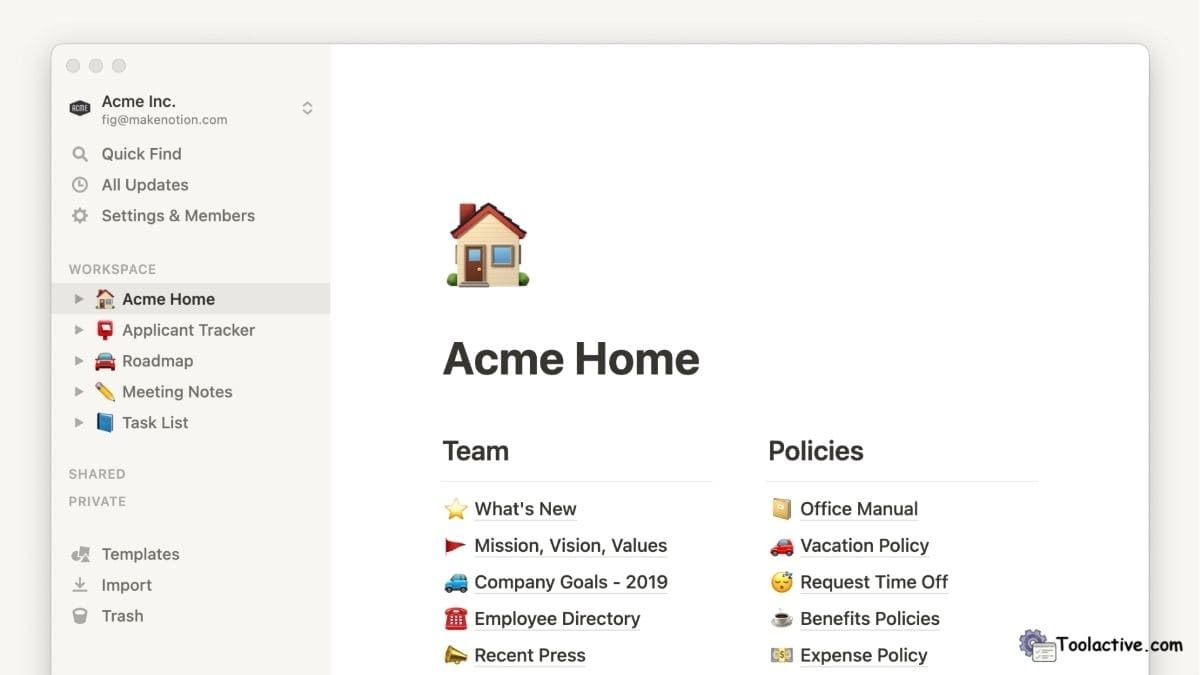
Notion is a simple but effective internal directory builder, ideal for documenting listings, resources, and internal hubs.
AI Features: Notion AI helps summarize listings, autofill fields, and improve structure.
Pros: Easy to set up, great collaboration, flexible structure.
Cons: Not ideal for public directories, search slows at large scale.
Best For: Teams building internal knowledge bases and lightweight directories.
How to Use: Create databases, link pages, and configure filtered views.
Rating: 4.5/5.
5.10 WordPress Directory Plugins — Best Budget-Friendly Custom Directory
WordPress offers numerous plugins for directory sites, including GeoDirectory and HivePress.
AI Features: AI-powered search plugins improve listing discovery and categorization.
Pros: Extremely customizable, thousands of plugins, budget-friendly.
Cons: Requires setup and maintenance, performance depends on hosting.
Best For: Public directories on a budget.
How to Use: Install a directory plugin, configure categories, customize listing pages.
Rating: 4.3/5.
6. Free & Freemium Directory Tools (Best Budget Options)
7. Best AI Tools by Use Case (Directory-Specific)
1. For large communities
Hivebrite AI delivers the most powerful member search and automated enrichment.
2. For no-code builders
Softr AI is ideal thanks to its automated block creation.Teams needing automation-heavy directories benefit from Airtable AI workflows and automations.
3. For lead and contact enrichment
Dex AI provides the most efficient personal database optimization.
4. For public directory sites
Webflow AI and AI-powered WordPress search plugins provide the best performance.
If you want to explore more automation support tools, you can see the list of software tools.
8. How to Choose the Best Directory Software
Choosing the right directory platform starts with understanding your dataset size, user access needs, and whether your directory is public or internal. Consider how important AI features are to your workflow, such as semantic search or automated enrichment. Integrations with CRMs, payment systems, or CMS platforms also impact long-term scalability. Finally, weigh the cost difference between free tools and enterprise platforms depending on your growth plan.
9. Final Verdict from Jason Miller (Toolactive)
Selecting the right directory software is essential for managing data effectively in 2025. From AI-powered automation to advanced search, the best directory tools now combine flexibility with intelligent features. Whether you're building a directory of AI tools, creating a listings hub, or evaluating the best directory software for your organization, this tested review gives you the clarity you need.
At Toolactive, we continue testing and reviewing directory tools so teams can make faster, more confident decisions backed by real-world insights.
Explore our ProfitProtectorpro store
10. FAQ (SEO-Optimized)
What is the best directory software for organizations in 2025?
Tools like Hivebrite, Airtable, and Webflow offer the best blend of structure and AI features.
Which AI tools are used to build directories?
Softr AI, Notion AI, Airtable AI, and Webflow AI are leading options.
Can I build a directory without coding?
Yes, Softr, Webflow, and Notion allow fully no-code directory building.
What features matter most in directory software?
Search accuracy, custom fields, AI enrichment, and scalability.
What is the best free directory tool?
Airtable, Notion, and ToolJet provide strong free directory solutions.
What is an AI tool directory and how does it work?
It’s a directory that uses AI for classification, smart search, and enrichment.
How do I choose between no-code and coded directory software?
No-code tools suit simple directories; coded setups support more customization.
Is AI necessary for directory management today?
For large or fast-growing directories, AI significantly improves accuracy and efficiency.




.jpg)